
Introduction to IPTV on Formuler Box Advanced Guide 2026
Welcome to this in-depth IPTV on Formuler Box Advanced Guide 2026, designed to help both newcomers and experienced streamers get the most out of their device. Formuler set-top boxes have built a strong reputation among streaming enthusiasts because they combine an Android-based operating system with dedicated IPTV applications, fast hardware, and flexible connectivity. If you have invested in a Formuler box or are considering one, understanding how IPTV works on this hardware will help you achieve smooth playback, an organized channel layout, and a reliable viewing experience.
IPTV, short for Internet Protocol Television, delivers television content over the internet rather than through traditional satellite or cable infrastructure. You can learn more about the underlying technology on Wikipedia's Internet Protocol television article. When paired with a capable device like a Formuler box, this approach lets you stream live channels, movies, and on-demand libraries through dedicated apps. Throughout this guide we will cover how IPTV on Formuler Box works, the key features and benefits, step-by-step setup, compatibility considerations, pricing, performance optimization, and a clear legal and safety checklist so you can make informed, responsible decisions.
How IPTV on Formuler Box Works
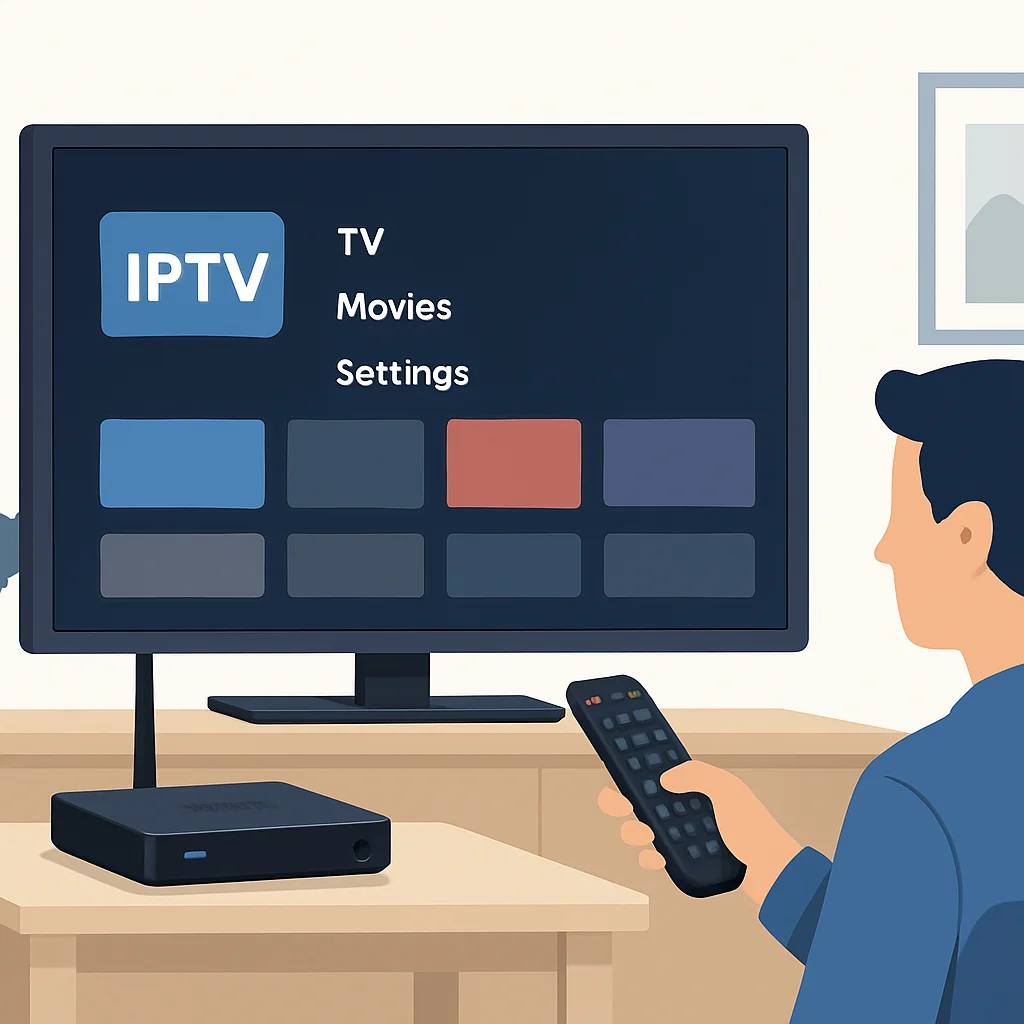
At its core, a Formuler box is a small computer running a customized version of Android TV. Instead of receiving channels from a satellite dish or coaxial cable, it pulls streaming data from the internet. When you open an IPTV application on the device, the app connects to a provider's servers using a playlist or login portal. That playlist tells the box where to find each channel and on-demand title. The box then requests the video stream, decodes it, and displays it on your television in real time.
Formuler devices are well known for supporting the MYTVOnline application, a built-in IPTV portal player that organizes channels, electronic program guides (EPG), and catch-up features. The box also allows you to install third-party IPTV players from app stores or through sideloading. The combination of dedicated portal software and open Android flexibility is what makes Formuler boxes popular among advanced users who want control over how their content is displayed.
Most IPTV services deliver content through one of three common formats. The first is an M3U playlist, a simple text file containing channel URLs. The second is the Xtream Codes API, which uses a server URL, username, and password to authenticate and load content dynamically. The third is a portal or MAC-based login often used with MYTVOnline. Understanding these formats helps you configure your Formuler box correctly, because each app expects a specific type of input. If you want a deeper explanation of player software in general, our IPTV player complete guide for 2026 breaks down the most common applications and how they handle these formats.
Key Features and Benefits
The appeal of running IPTV on a Formuler box comes from a blend of hardware power and software flexibility. Below are the standout features that make these devices a favorite for dedicated streamers.
Dedicated IPTV Portal Software
MYTVOnline, the proprietary player found on many Formuler models, is purpose-built for live television. It loads channel lists quickly, supports a clean electronic program guide, and offers features like favorites, recently watched, and parental controls. Because it is optimized for the hardware, channel switching tends to feel responsive, which is something casual streaming apps do not always prioritize.
4K and HEVC Support
Modern Formuler boxes support 4K Ultra HD output and HEVC (H.265) decoding. This means that if your provider streams in high resolution, the box can handle it without heavy buffering, provided your internet connection is fast enough. HEVC compression delivers sharp video at lower bitrates, which is helpful for smooth playback. You can read more about the codec on the High Efficiency Video Coding Wikipedia page.
Electronic Program Guide and Catch-Up
A reliable EPG transforms a long channel list into a navigable schedule, showing what is playing now and later. Many Formuler-compatible services also offer catch-up TV, letting you rewind or replay programs that aired earlier. If you stream on multiple devices, our IPTV EPG setup guide for Mac explains the same concepts in a different environment, which can help you understand how guide data is loaded.
Recording and Time-Shift
Some Formuler models support recording to an external USB drive or network storage, plus time-shift pausing of live TV. This brings traditional DVR functionality to internet streaming. To learn how recording works across platforms, see our IPTV recording feature guide for 2026, which covers saving and replaying streams.
Flexible App Ecosystem
Because Formuler boxes run Android, you are not locked into a single application. You can install alternative IPTV players, media apps, and utilities from the app store. This flexibility appeals to advanced users who like to customize their setup, switch between players, or test which one performs best with their provider.
Setup and Configuration
Getting IPTV running on a Formuler box is straightforward when you follow a logical order. Below is a step-by-step process that applies to most current models.
Step 1: Connect and Update the Box
Plug your Formuler box into your television using an HDMI cable and connect it to power. For the most stable experience, use a wired Ethernet connection rather than Wi-Fi when possible. Once the box boots, navigate to the settings menu and check for system updates. Keeping the firmware current ensures you have the latest performance improvements and security patches.
Step 2: Connect to the Internet
If you cannot use Ethernet, connect to your Wi-Fi network and verify the connection is stable. A 5 GHz Wi-Fi band typically offers better speeds for streaming than the older 2.4 GHz band. Run a quick speed test to confirm you have enough bandwidth for the resolution you plan to watch.
Step 3: Open the IPTV Player
Launch MYTVOnline or your preferred IPTV application. If you are using the built-in portal player, you will be prompted to add a playlist or portal. Choose the format your provider supplied, which is usually one of the following:
- Xtream Codes login: Enter the server URL, username, and password.
- M3U URL: Paste the playlist link your provider gave you.
- Portal/MAC: Provide the portal URL; your box's MAC address may need to be registered with the provider.
Step 4: Load the EPG
If your provider supplies a separate EPG link (often an XMLTV URL), add it in the appropriate settings field. The guide may take a few minutes to populate. Once loaded, you will see program schedules alongside each channel.
Step 5: Organize and Test
Create a favorites list of channels you watch most, hide groups you do not use, and play a few streams to confirm everything works. Test both standard and high-resolution channels to ensure your hardware and connection handle them comfortably. If something does not load, double-check your credentials and internet connection before troubleshooting further.
If you ever run into playback issues on other devices, the troubleshooting principles are similar. Our guides on fixing IPTV buffering on LG TV and resolving Fire TV Cube IPTV issues share diagnostic steps that translate well to a Formuler setup.
Device Compatibility
One of the strengths of the Formuler ecosystem is broad compatibility, but it helps to understand where these boxes fit within your home entertainment setup. Formuler models such as the Z and CC series connect to virtually any modern television through HDMI, supporting resolutions up to 4K when the TV and content allow it. Because the device handles decoding internally, even an older television with an HDMI port can display high-quality streams, as long as the TV itself supports the output resolution.
Beyond the box itself, compatibility depends on your IPTV provider and the format they support. Providers that offer Xtream Codes, M3U, or portal logins will generally work with Formuler hardware. It is wise to confirm that your service explicitly supports set-top boxes before subscribing. Some services also publish device-specific instructions, which makes onboarding easier.
If you use a mix of hardware in your household, you may also stream on smart televisions, phones, tablets, or computers. Our Smart TV complete guide for 2026 explains how streaming behaves on built-in TV platforms, while the IPTV app complete guide for 2026 covers application choices across devices. Knowing how each platform handles IPTV helps you keep a consistent experience across the home.
Network and Accessory Considerations
Formuler boxes often support external accessories that extend their capability. A USB drive enables recording and time-shift. A Bluetooth remote or air-mouse simplifies navigation. Some users also add network attached storage for larger recording libraries. When planning your setup, consider whether you want these features, since they influence which model and accessories you purchase.
Pricing and Plans
The total cost of running IPTV on a Formuler box has two parts: the hardware and the subscription. The Formuler box itself is a one-time purchase, with pricing that varies by model and where you buy it. More advanced models with higher processing power and 4K support generally cost more, while entry-level models are more affordable. Because the box is reusable across providers, it represents a long-term investment rather than a recurring expense.
The second cost is your IPTV subscription. Pricing among providers varies widely depending on channel count, video quality, number of simultaneous connections, and subscription length. As a neutral example, services such as SnopTV offer 60,000+ live channels and 190,000+ movies and series with 4K Ultra HD quality and 24/7 human support, with plans starting at $12.99/month and better value on longer commitments such as a 15-month plan with two connections. This is mentioned only as one option among many; you should compare several providers to find the channels, languages, and features that match your needs.
When evaluating subscription pricing, look beyond the headline number. A slightly higher monthly cost may include features that matter to you, such as a reliable EPG, catch-up TV, multiple connections, or responsive support. You can review packaging examples and feature breakdowns on the SnopTV plans page to understand how these elements are typically bundled. For a broader comparison framework, our best IPTV complete guide for 2026 walks through how to weigh price against quality and reliability.
Tips for Best Performance
Even the best hardware benefits from a well-tuned environment. Use these practical tips to keep your Formuler box running smoothly.
- Prefer a wired connection. Ethernet provides more consistent bandwidth than Wi-Fi, reducing buffering during peak hours.
- Check your internet speed. For 4K streaming, aim for a stable connection of at least 25 Mbps. Standard HD content generally needs less. You can confirm your throughput using a reputable speed testing tool and your provider's recommended minimums.
- Keep firmware and apps updated. Updates often improve playback stability and fix bugs that cause freezing.
- Restart periodically. A weekly reboot clears memory and refreshes the streaming session.
- Manage storage. If you record content, monitor your USB drive's free space so recordings do not fail.
- Use a quality HDMI cable. A certified cable ensures your 4K signal reaches the television without artifacts.
- Reduce network congestion. Limit heavy downloads or large video calls on other devices while streaming live events.
Live sports place the heaviest demands on a streaming setup because every second counts. If you follow fast-paced events, our F1 racing live streaming IPTV guide for 2026 outlines how to prepare your network for low-latency, high-resolution broadcasts. For additional context on how television technology continues to evolve, TechRadar's streaming coverage is a helpful, regularly updated resource.
Consider Your Privacy
Many users add a VPN to their streaming setup for privacy on shared or public networks. While Formuler boxes can run VPN apps, the configuration differs by model. If you are interested in privacy-focused setups, our IPTV VPN setup guide for Raspberry Pi explains the core concepts that apply broadly across devices. Always ensure any privacy tool you use complies with your provider's terms and local laws.
Legal and Safety Checklist
Before subscribing to any IPTV service for your Formuler box, it is essential to confirm that the service operates legally and protects your data. IPTV technology itself is fully legal; the legality depends on whether the provider holds the proper rights to distribute the content it offers. Use the checklist below to evaluate any service responsibly.
| ✓ | Check | Why It Matters |
|---|---|---|
| ☐ | Provider holds content licensing rights | Streaming licensed content keeps you on the right side of copyright law and avoids service interruptions. |
| ☐ | Service legality in your region | Content rights and broadcast rules vary by country, so confirm the service is permitted where you live. |
| ☐ | Privacy and data handling policy | A clear privacy policy shows how your personal and payment data are stored and protected. |
| ☐ | Secure payment methods | Encrypted checkout and recognized payment processors reduce the risk of fraud. |
| ☐ | Transparent refund policy | A documented refund or trial policy protects you if the service does not meet expectations. |
| ☐ | Responsive customer support | Accessible support helps resolve billing or playback issues quickly and signals a legitimate operation. |
For broader guidance on evaluating services and avoiding questionable offers, community discussions can be informative. Our Reddit IPTV complete guide for 2026 summarizes common safety tips shared by users while emphasizing responsible, legal streaming.
Troubleshooting Common Issues
Even with a careful setup, you may occasionally encounter problems. Most issues fall into a few categories, and they are usually quick to resolve.
Channels Will Not Load
If channels fail to appear, the most common causes are incorrect login credentials, an expired subscription, or a network problem. Re-enter your portal or M3U details carefully, confirm your subscription is active, and verify the box is connected to the internet.
Buffering or Freezing
Buffering usually points to bandwidth limitations or network congestion. Switch to Ethernet, pause other heavy internet activity, and lower the stream resolution if your connection is marginal. Restarting both the box and your router often clears temporary slowdowns.
EPG Not Showing
If the program guide is missing, confirm you added the correct XMLTV link and allow time for the data to load. Some apps update the guide on a schedule rather than instantly.
App Crashes
Occasional crashes can result from outdated software. Update the app and the box firmware, clear the app cache, and reboot. If a third-party player remains unstable, try the built-in portal player as a comparison. For official device-level help and Android TV basics, you can consult Google's Android TV support center.
Final Checklist Before Choosing
Before you commit to an IPTV service for your Formuler box, run through this summary checklist. It brings together the most important factors covered in this guide so you can make a confident, well-informed decision.
| ✓ | Check | Why It Matters |
|---|---|---|
| ☐ | Device compatibility with the service | Confirm the provider supports Formuler boxes and the format (Xtream, M3U, or portal) your player needs. |
| ☐ | Channel and content count | Make sure the channel lineup and on-demand library include the programming you actually watch. |
| ☐ | Streaming quality (HD/4K) | Higher resolutions require capable hardware and sufficient bandwidth for smooth playback. |
| ☐ | EPG and catch-up availability | A reliable guide and catch-up TV improve everyday usability. |
| ☐ | Number of simultaneous connections | Households with multiple viewers need enough connections to stream at once. |
| ☐ | Customer support quality | Responsive, around-the-clock help reduces downtime when issues arise. |
| ☐ | Trial or money-back option | A trial lets you test stability and channel quality before fully committing. |
| ☐ | Secure, flexible payment methods | Trusted payment processing protects your financial information. |
FAQ Section
Is a Formuler box good for IPTV in 2026?
Yes. Formuler boxes remain popular for IPTV because they combine purpose-built portal software like MYTVOnline with Android flexibility, 4K and HEVC support, and the ability to install alternative players. As long as your internet connection is stable and your provider is legitimate, the experience is smooth and customizable.
What IPTV format does a Formuler box use?
Formuler boxes support several formats, including Xtream Codes API logins, M3U playlists, and portal or MAC-based logins through MYTVOnline. Your provider will tell you which format to use, and you simply enter the details in the corresponding fields of your player.
Do I need a VPN to use IPTV on a Formuler box?
A VPN is optional. Some users add one for privacy, particularly on shared networks. Formuler boxes can run VPN apps, though configuration varies by model. Always ensure any VPN use complies with your provider's terms and your local laws.
How much internet speed do I need?
For standard HD streaming, a stable connection of around 10 to 15 Mbps is usually sufficient. For 4K Ultra HD, aim for at least 25 Mbps. A wired Ethernet connection generally delivers more consistent performance than Wi-Fi.
Can I record live TV on a Formuler box?
Many Formuler models support recording and time-shift when you connect a USB drive or compatible storage. This lets you save and replay programs much like a traditional DVR. Check your specific model's capabilities and storage requirements.
Is IPTV legal on a Formuler box?
The Formuler box and IPTV technology are legal. Legality depends on the provider holding proper licensing rights to the content it distributes. Always choose services that operate transparently and respect content rights in your region.
Conclusion
Running IPTV on a Formuler box gives you a powerful, flexible way to enjoy live channels, movies, and on-demand content in high quality. With dedicated portal software, 4K support, recording capabilities, and an open Android ecosystem, these devices are well suited to both casual viewers and advanced streamers. The keys to a great experience are a stable internet connection, careful setup, updated software, and a legitimate provider that holds proper content rights.
As you finalize your decision, take time to compare features, verify compatibility, and test stability whenever a trial is available. Review the legal and safety checklist, confirm secure payment and refund terms, and weigh channel selection against price and support quality. Services like SnopTV are one option you can explore among several, offering 4K streaming, large content libraries, and 24/7 support; you can review packaging details on the plans page or learn more on the SnopTV homepage. Whatever you choose, prioritize reliability, transparency, and a setup that fits your viewing habits, and your Formuler box will deliver a smooth, enjoyable streaming experience throughout 2026.