
Streaming has changed the way people consume live sports, news, and on-demand entertainment, and Fox One is one of the newer names generating attention in the direct-to-consumer streaming space. If you have heard about Fox One and want to understand exactly what it offers, how it works, and whether it fits your viewing habits, this complete 2026 guide breaks everything down in plain language. Whether you are a casual viewer looking for live news and sports or an advanced streamer who wants full control over quality and devices, this article covers the practical details you need before making a decision.
In the sections below, we will explore how Fox One operates, its standout features, the setup process, supported devices, pricing considerations, and performance tips that help you avoid common streaming frustrations like buffering. We will also compare it neutrally with the broader world of internet-delivered television, including IPTV technology, so you can see where a service like Fox One fits within your options. Along the way, we will point you toward helpful resources, including practical guides on IPTV on smart TVs and troubleshooting tips, so you can get the most out of your streaming setup.
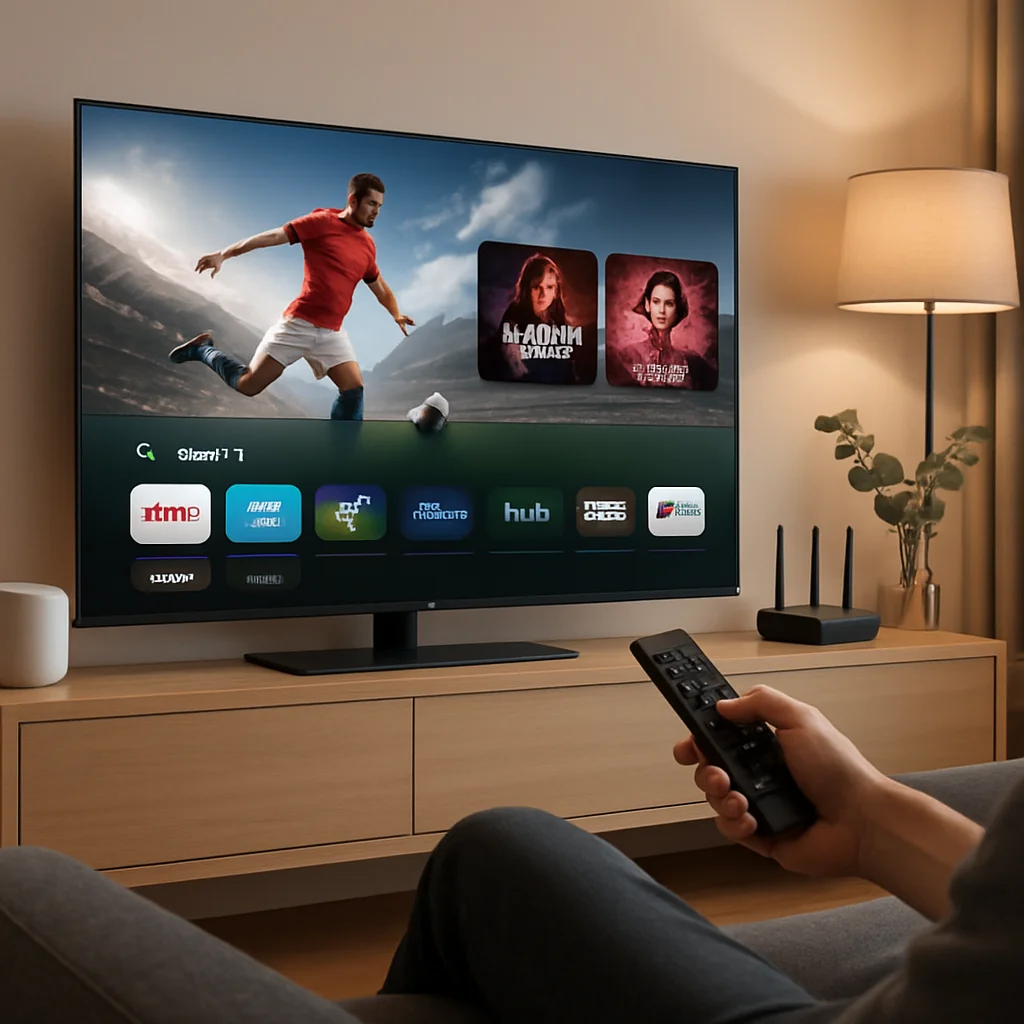
Introduction to Fox One
Fox One is positioned as a standalone streaming platform that gathers a broad range of live and on-demand content into a single app. The concept behind services like this is straightforward: instead of relying on a traditional cable or satellite subscription, viewers stream programming directly over the internet to their preferred device. This model has grown rapidly over the past several years as households increasingly "cut the cord" and look for flexible, app-based alternatives to legacy television packages.
The appeal of a service like Fox One centers on convenience and choice. Rather than paying for a large bundle of channels you may never watch, streaming platforms let you access the content you actually care about — live sports, breaking news, entertainment shows, and libraries of on-demand titles. Because it is delivered over the internet, you can typically watch on a smart TV in the living room, a tablet in the kitchen, or a phone while traveling, as long as you have a stable connection.
It is worth understanding that the streaming landscape includes several distinct approaches. Traditional streaming services operate their own licensed content and apps, while streaming media in general covers everything from subscription video-on-demand to live channel delivery. Separately, IPTV services deliver television programming through internet protocols, sometimes bundling thousands of channels. Knowing these distinctions helps you evaluate whether Fox One alone meets your needs or whether you might pair it with other services.
How Fox One Works
At its core, Fox One works by delivering video content over an internet connection to a compatible app or device. When you press play, the service streams data from its servers to your device in real time. For live programming, this happens continuously so you can watch events as they broadcast; for on-demand titles, the content is stored on the platform's servers and delivered whenever you choose to watch.
The technology behind this is called adaptive bitrate streaming. In simple terms, the service constantly measures your available internet bandwidth and adjusts the video quality on the fly. If your connection is strong, you get sharp, high-resolution video; if your bandwidth drops momentarily, the stream lowers the resolution briefly to prevent interruptions. This is the same underlying technique used by most major streaming platforms and helps explain why a fast, stable connection matters so much for a smooth experience.
The role of your internet connection
Because everything is delivered online, your home internet is the foundation of a good streaming experience. Standard-definition streaming may only require a few megabits per second, but high-definition and 4K Ultra HD content demands significantly more — often 15 to 25 Mbps or higher for the best quality. If multiple people in your household stream at the same time, those requirements add up. A wired Ethernet connection generally provides the most reliable results, while Wi-Fi performance depends on router quality, distance, and interference.
Accounts and authentication
Fox One, like most modern streaming services, uses an account-based login system. You create an account, choose a plan, and sign in on each of your devices. This approach lets the service sync your preferences, viewing history, and watchlists across devices. It also enables features like simultaneous stream limits, which control how many devices can watch at once under a single subscription.
Key Features and Benefits
Understanding the features of any streaming service helps you decide whether it aligns with your habits. While specific offerings can change over time, streaming platforms in the Fox One category typically emphasize a combination of live content, on-demand libraries, and user-friendly viewing tools. Below are the categories of features most relevant to viewers in 2026.
Live sports and news
One of the biggest draws of a Fox-branded streaming service is live sports and news coverage. Live programming is where streaming truly competes with traditional cable, and sports fans in particular value reliable access to games and events without a cable box. If you follow major sporting events, you may also find broader IPTV guides useful, such as our overview of how to watch boxing with IPTV or the golf majors live streaming guide, which explain how live events are delivered over the internet.
On-demand content library
Beyond live channels, most streaming platforms include a library of on-demand shows and movies. This lets you watch past episodes, catch up on series, or explore a catalog of films at your convenience. The depth and freshness of this library is an important factor to compare, since some services rotate titles frequently while others maintain large permanent catalogs.
Multi-device streaming and profiles
Modern services usually support multiple user profiles and let you watch on several devices. This is especially useful for families, where different members have different tastes. Profiles keep recommendations and watch history separate, while simultaneous stream limits determine how many screens can play content at the same time.
Quality options up to 4K
Picture quality has become a key differentiator. Many platforms offer high-definition streaming as standard, with 4K Ultra HD available for select content on compatible devices and fast connections. For comparison, some IPTV providers such as SnopTV advertise 4K Ultra HD streaming across a large channel and movie catalog, giving viewers another way to access high-resolution content. When evaluating any service, confirm which titles are actually available in higher resolutions rather than assuming everything is 4K.
User interface and search
A clean, responsive interface makes a real difference in daily use. Look for intuitive navigation, reliable search, personalized recommendations, and quick access to live guides. Features like resume playback, watchlists, and parental controls add convenience and safety, especially for households with children.
Setup and Configuration
Getting started with a streaming service like Fox One is generally straightforward, but a few careful steps ensure the smoothest experience. Below is a general process that applies to most modern streaming apps. Always follow the official instructions provided by the service during signup.
- Create your account. Visit the official website or download the app from your device's app store, then register with your email and set a strong password. Using a unique password and enabling two-factor authentication where available helps keep your account secure.
- Choose a plan. Select the subscription tier that matches your needs. Pay attention to details like stream limits, included content, and whether there is an introductory offer or free trial.
- Install the app on your devices. Download the official Fox One app on each device you plan to use, whether that is a smart TV, streaming stick, tablet, or phone.
- Sign in and verify. Log in with your credentials. Some services use an activation code that you enter on a website to link a TV device to your account.
- Adjust settings. Configure video quality, data usage, subtitles, and parental controls to your preference before you start watching.
If you are configuring streaming on a smart TV for the first time, our IPTV on smart TV guide walks through general setup principles that apply broadly to streaming apps, including how to organize channels and manage app performance. For households with children, reviewing a resource on parental controls can help you set appropriate viewing restrictions from the start.
Device Compatibility
Device compatibility is one of the most important practical considerations. A streaming service is only useful if it runs well on the hardware you already own. Fortunately, services in the Fox One category typically support a wide range of popular devices. Below are the common categories to check.
Smart TVs
Most modern smart TVs from brands like Samsung, LG, Sony, and TCL support major streaming apps directly through their built-in operating systems. If your TV is older or an app is missing, you can often add functionality with an external streaming device. If you experience issues on a specific model, guides like our TCL TV troubleshooting guide can help you diagnose common app and connectivity problems.
Streaming devices
Dedicated streaming devices are among the most reliable ways to access services. Popular options include Amazon Fire TV, Roku, Apple TV, and Google's Chromecast with Google TV. These devices receive frequent updates and are well supported by app developers. Amazon provides helpful setup resources through its official Amazon device support pages, and Apple offers guidance via Apple TV support. If you want to replace cable entirely, our guide on watching live TV on Fire TV Cube without cable explains how these devices handle live streaming.
Mobile phones and tablets
iOS and Android apps let you watch on the go. Mobile streaming is convenient but consumes more data on cellular networks, so consider using Wi-Fi or adjusting quality settings to manage data usage when away from home.
Computers and web browsers
Many services also offer browser-based playback on Windows and macOS, which is handy when you do not want to install an app. Browser playback quality can vary, so a dedicated app usually delivers a more consistent experience.
Game consoles
Consoles such as Xbox and PlayStation often support popular streaming apps, turning your gaming system into a media hub. If you stream on a console and run into playback stutters, our Xbox buffering fix guide offers troubleshooting steps that apply to many streaming scenarios.
Pricing and Plans
Pricing is naturally a major factor when choosing any streaming service. While exact figures for Fox One can change and vary by region, it helps to understand the common pricing structures so you can evaluate value clearly. Most streaming platforms offer one or more of the following approaches.
- Monthly subscription: A flat monthly fee with the flexibility to cancel at any time. This is ideal for viewers who want to test a service or who only need it during specific seasons, such as a sports season.
- Annual subscription: A discounted yearly rate that lowers the effective monthly cost in exchange for a longer commitment.
- Tiered plans: Different price points that unlock more features, higher resolution, additional simultaneous streams, or ad-free viewing.
- Bundles: Some providers package their service with other apps or offers to increase perceived value.
When comparing costs, consider the total value rather than the headline price alone. Factor in the number of simultaneous streams, whether 4K is included, the size of the on-demand library, and the reliability of customer support. As a point of reference in the broader streaming market, IPTV providers such as SnopTV advertise plans starting around $12.99 per month, with a large catalog of live channels and movies and 24/7 support, and better value on longer subscriptions. Comparing several options side by side — including their available plans — helps you understand where a service sits on the price-to-value spectrum.
Tips for Best Performance
Even the best streaming service can feel disappointing on a poor network or misconfigured device. These practical tips help you get consistently smooth playback.
Optimize your internet connection
Run a speed test to confirm your download speeds meet the requirements for your desired quality. For 4K content, aim for a stable connection well above 25 Mbps. If possible, connect your primary streaming device via Ethernet for the most reliable results, and place your Wi-Fi router in a central, open location away from thick walls and interference.
Reduce network congestion
Streaming quality can drop when many devices compete for bandwidth. Pause large downloads, limit simultaneous high-bandwidth activities, and consider a router that supports Quality of Service (QoS) settings to prioritize video traffic. Tech publications like TechRadar and CNET regularly review routers and streaming hardware if you are considering an upgrade.
Keep apps and devices updated
Outdated apps and firmware are common causes of playback problems. Enable automatic updates on your devices, and periodically restart your streaming hardware and router to clear temporary glitches. Google's official Chromecast and Google TV support pages provide device-specific update instructions.
Manage buffering issues
If you experience frequent buffering, lower the video quality temporarily, clear the app cache, or restart the app. Many buffering problems come from the network rather than the service itself. For device-specific fixes, resources like our Xiaomi Mi Box buffering guide demonstrate troubleshooting approaches that transfer to most streaming platforms.
Understand the technology you use
If you use playlist-based streaming alongside app-based services, learning the basics of formats like M3U can help you manage multiple sources. Our M3U IPTV guide explains how these playlists work. And because streaming technology increasingly relies on machine learning for recommendations and quality optimization, our overview of AI developments shaping streaming offers useful context on where the industry is heading.
Legal and Safety Checklist
Before subscribing to any streaming service, including Fox One, it is important to confirm that you are using a legitimate, secure platform. Streaming law and content rights vary by region, so verifying these points protects both your finances and your legal standing. Use the checklist below as a quick reference.
| ✓ | Check | Why It Matters |
|---|---|---|
| ☐ | Service legality in your region | Confirms the platform operates legally and holds the rights to distribute the content it offers. |
| ☐ | Content licensing and rights | Legitimate services license their programming; unlicensed sources can expose you to legal and security risks. |
| ☐ | Privacy policy and data handling | A clear privacy policy shows how your personal data is stored, used, and protected. |
| ☐ | Secure payment methods | Look for encrypted checkout and reputable payment processors to protect your financial information. |
| ☐ | Refund and cancellation policy | Transparent refund terms let you cancel or dispute charges without hidden penalties. |
| ☐ | Official app sources | Downloading apps from official stores reduces the risk of malware and counterfeit software. |
Always favor services that are transparent about their operations. If a deal seems too cheap to be legitimate or a provider avoids clear answers about content rights, treat that as a warning sign. For a broader perspective on legitimate versus questionable free options, our guide to free IPTV explains the trade-offs and safety considerations in detail.
Final Checklist Before Choosing
Once you have researched Fox One and compared it with alternatives, run through this final checklist to make sure the service matches your practical needs. Confirming each point reduces the chance of surprises after you subscribe.
| ✓ | Check | Why It Matters |
|---|---|---|
| ☐ | Device compatibility | Ensures the service runs on your smart TV, streaming stick, phone, or console. |
| ☐ | Channel and content selection | Verifies the live channels and on-demand titles you want are actually included. |
| ☐ | Streaming quality options | Confirms HD or 4K availability matches your TV and internet capabilities. |
| ☐ | Simultaneous stream limit | Important for households where multiple people watch at once. |
| ☐ | Customer support quality | Reliable, responsive support helps resolve issues quickly. |
| ☐ | Free trial availability | A trial lets you test performance before committing money. |
| ☐ | Payment methods and pricing | Flexible, secure payment options and clear pricing prevent billing surprises. |
| ☐ | Cancellation flexibility | Easy cancellation gives you freedom if the service does not meet expectations. |
If a service offers a trial, take advantage of it. Testing during your typical viewing hours reveals how the platform performs under real conditions. For guidance on how trials work in the streaming world, our free trial IPTV guide for Firestick outlines what to look for and how to evaluate a service fairly during the trial period.
Frequently Asked Questions
What is Fox One?
Fox One is a streaming platform designed to deliver live and on-demand content directly over the internet to compatible devices. It represents the broader industry shift toward app-based television that lets viewers watch without a traditional cable subscription.
What internet speed do I need for Fox One?
Standard-definition streaming typically needs only a few megabits per second, high-definition often requires around 5 to 10 Mbps, and 4K Ultra HD content generally benefits from 25 Mbps or more. A stable, consistent connection matters more than raw peak speed, so a wired connection is often more reliable than Wi-Fi.
Which devices support Fox One?
Streaming services in this category usually support smart TVs, dedicated streaming devices like Fire TV, Roku, Apple TV, and Chromecast, plus phones, tablets, computers, and game consoles. Always confirm your specific device model is supported before subscribing.
Can I watch on multiple devices at once?
Most services allow multiple devices under one account, subject to a simultaneous stream limit set by your plan. Higher tiers often permit more concurrent streams, which is useful for larger households.
How does Fox One compare with IPTV services?
Fox One is a branded streaming platform focused on its own content, while IPTV services often deliver large collections of live channels over internet protocols. Some viewers use both to cover different needs. IPTV providers like SnopTV, for example, advertise extensive channel and movie libraries with 4K quality, which appeals to viewers who want a wider variety of live programming in one app.
Is streaming legal and safe?
Using official, licensed streaming services is legal and safe. Risks arise mainly from unlicensed or pirated sources. Always verify a service's legality in your region, check its privacy and refund policies, and download apps only from official stores.
What should I do if streaming keeps buffering?
Start by checking your internet speed, then lower the video quality, restart the app and router, and ensure your device software is up to date. If problems persist, device-specific troubleshooting guides can help identify the cause, since many buffering issues stem from network conditions rather than the service itself.
Conclusion
Fox One reflects the ongoing evolution of television, where flexible, internet-delivered content is replacing rigid cable packages. In this complete 2026 guide, we covered how the service works, its key features, setup steps, device compatibility, pricing structures, and practical tips for smooth streaming. The most important takeaway is to evaluate any streaming platform against your own needs — the content you actually watch, the devices you own, your internet capability, and your budget.
Before committing, use the checklists above to verify legality, safety, compatibility, and value, and take advantage of any free trial to test real-world performance. Compare Fox One with other options in the market, including full-featured IPTV services, so you can make a confident, well-informed choice. If you want to explore an alternative with a large channel and movie library, you can review the available IPTV plans or visit the SnopTV homepage as one of several resources worth comparing. Ultimately, the right service is the one that delivers the content you love, reliably, at a price that makes sense for you.